
ACTUALin
Keep your Excel reports. Eliminate the manual typing.
About
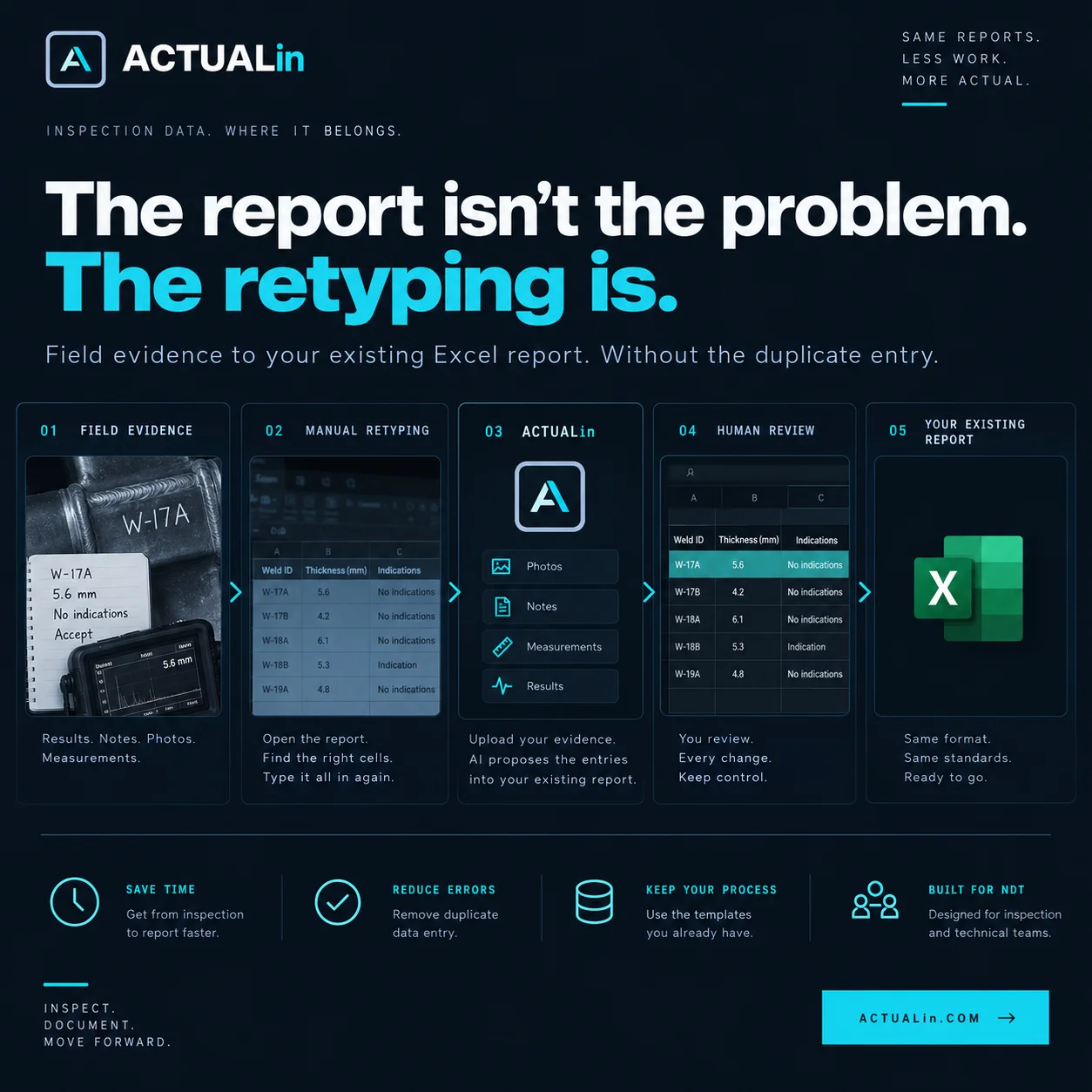
ACTUALin helps businesses turn notes, measurements, photos, PDFs and other supporting evidence into completed Excel reports without changing the templates they already use.
How it works:
- Upload your existing Excel workbook.
- Add supporting evidence such as field notes, inspection photos, measurements, PDFs or instrument exports.
- ACTUALin analyzes the information and proposes entries for specific cells in your workbook.
- Review each proposed change alongside its supporting evidence. Approve, edit or reject entries before generating the report.
- Download your original Excel workbook populated with the approved information.
ACTUALin preserves the workbook's formulas, formatting and structure. If evidence is missing, conflicting or unclear, the system flags it for review rather than guessing.
Who it's for:
Teams that spend too much time transferring information into Excel reports, including manufacturing, inspection and NDT, QA/QC, laboratory testing, maintenance, inventory and other business operations.
Why I built it:
I spent years working in industrial R&D, materials testing and manufacturing. One thing that always frustrated me was how much time went into preparing reports after the actual technical work was finished.
Measurements had been collected, inspections completed and observations recorded, but someone still had to transfer everything into the right cells, insert photos and make sure the workbook wasn't accidentally altered.
I wanted to make that part easier without replacing the reporting formats businesses already rely on or removing the human judgment behind them.
ACTUALin is built around that idea: automate the repetitive work while keeping the person responsible for the report in control.
Explore examples without signing up: https://actualin.com/applications